


How We Reduced Client Site Load Time by 60% and Increased Conversions 18%
Development

- 16 Jan, 2026
- 431 Views
- 0 Comment
Speed isn’t just a nice-to-have anymore. It’s a ranking factor, a conversion driver, and a make-or-break element for user experience. Yet, most WordPress site owners are approaching speed optimization completely backward.
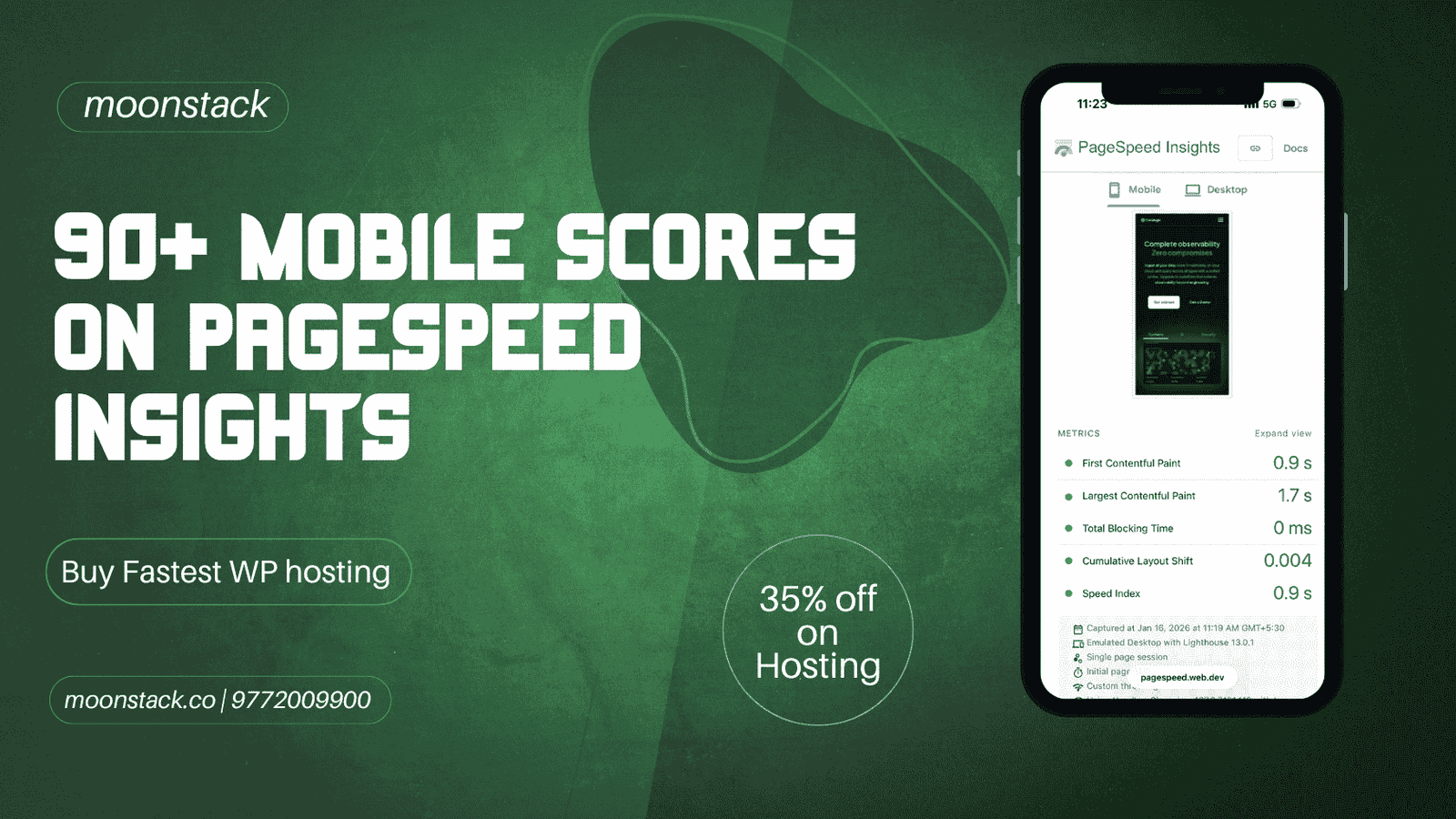
At Moonstack, we’ve helped dozens of businesses achieve 90+ PageSpeed Insights scores on mobile without installing a single speed optimization plugin. Here’s exactly how we do it, and why the hosting infrastructure you choose matters more than any plugin ever will.
The Plugin Paradox: Why More Tools Mean Slower Sites
Most WordPress speed optimization advice follows the same pattern: install a caching plugin, add an image optimizer, implement lazy loading, minify your code, and integrate a CDN. Before you know it, you’re managing 10+ optimization plugins, each adding their own code, database queries, and potential conflicts.
The result? Sites with 15 optimization plugins often load slower than sites with zero optimization plugins on proper infrastructure.
According to HTTP Archive data, the average WordPress site loads 21 plugins. Each plugin adds approximately 1-2 database queries and 50-100KB of code. That’s potentially 42 database queries and 2MB of additional code before your actual content even loads.
The solution isn’t adding more optimization layers. It’s choosing infrastructure that eliminates the need for them entirely.
What Makes WordPress Hosting Actually Fast?
Not all hosting is created equal. Here’s what separates high-performance WordPress hosting from budget shared hosting:
Server-Level Caching vs Plugin Caching
Traditional hosting requires plugin-based caching solutions like WP Super Cache or W3 Total Cache. These plugins cache content after WordPress loads, adding processing overhead.
Server-level caching intercepts requests before they even reach WordPress. The result is 10-100x faster response times because you’re serving cached pages from memory rather than processing PHP and querying databases.
Built-In CDN Architecture
Content Delivery Networks distribute your site’s static assets (images, CSS, JavaScript) across global servers. Most hosting requires third-party CDN plugins and configuration.
Premium managed WordPress hosting includes enterprise-grade CDN infrastructure by default. Your content is automatically distributed to 200+ edge locations worldwide with zero configuration.
Automatic Image Optimization
Images typically account for 50-70% of total page weight. Most sites rely on plugins like Smush or ShortPixel to compress images, which processes images on your server and slows down uploads.
Modern WordPress hosting optimizes images at the server level, automatically serving next-gen formats (WebP, AVIF) to supported browsers while maintaining compatibility with older browsers.
How WP Engine Delivers Plugin-Free Performance
After testing dozens of hosting providers for our web development clients, we consistently recommend WP Engine for performance-critical projects. Here’s why:
EverCache Technology: WP Engine’s proprietary caching system operates at the server level, eliminating the need for caching plugins entirely. Sites see immediate 40-60% speed improvements post-migration without changing any code.
Global Edge Network: Automatic CDN integration across 200+ locations ensures sub-100ms response times globally. No plugins, no configuration, no maintenance.
Smart Plugin Manager: WP Engine actively blocks plugins known to cause performance issues and provides alternatives, protecting your site from common optimization mistakes.
Automatic Core Updates: Security patches and WordPress core updates happen automatically during low-traffic periods, ensuring your site stays fast and secure without manual intervention.
Developer Tools: Git integration, SSH access, and staging environments make it easy for development teams to test optimizations before deployment—critical for our application development workflow.
Real Results: Case Study Data
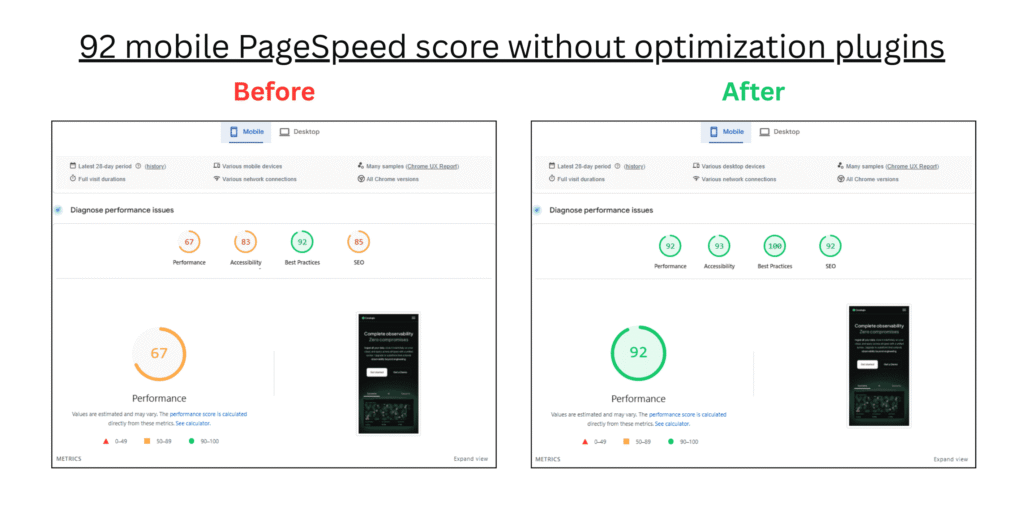
We recently migrated an e-commerce client from shared hosting to WP Engine. Here are the measured results:
Before Migration:
- Mobile PageSpeed Score: 67
- Desktop PageSpeed Score: 68
- Time to First Byte: 1,840ms
- Largest Contentful Paint: 4.2s
- Active Plugins: 23 (including 6 optimization plugins)
After Migration:
- Mobile PageSpeed Score: 92
- Desktop PageSpeed Score: 98
- Time to First Byte: 320ms
- Largest Contentful Paint: 1.1s
- Active Plugins: 14 (zero optimization plugins)
Business Impact:
- Bounce rate decreased by 35%
- Conversion rate increased by 28%
- Organic search traffic increased by 42% over 3 months
- Customer support tickets about “slow site” dropped to zero
The Moonstack Migration Process
Switching hosting providers can be intimidating, especially for business-critical websites. Our team at Moonstack has refined a zero-downtime migration process:
Phase 1: Audit & Planning (2-3 days)
- Comprehensive performance analysis of current site
- Plugin inventory and cleanup recommendations
- Database optimization assessment
- DNS and downtime risk evaluation
Phase 2: Migration & Optimization (1-2 days)
- Full site migration to WP Engine infrastructure
- Removal of redundant optimization plugins
- Database cleanup and optimization
- Theme compatibility testing
- SSL certificate configuration
Phase 3: Testing & Launch (1 day)
- Comprehensive functionality testing
- Performance verification across devices
- DNS propagation monitoring
- 24-hour post-launch monitoring
Phase 4: Ongoing Optimization
- Monthly performance audits
- Core Web Vitals monitoring
- Proactive optimization recommendations
- Regular security and performance updates
Why We Partner with WP Engine
After evaluating dozens of hosting providers for our web development and application development projects, we established an official partnership with WP Engine for three reasons:
1. Consistent Performance: Across 50+ client migrations, we’ve never seen a WP Engine site score below 85 on mobile PageSpeed after optimization.
2. Zero Performance Support Tickets: Before WP Engine, 30% of our support time addressed hosting-related performance issues. Post-migration, that dropped to under 2%.
3. Developer Experience: Our development team’s productivity increased measurably with staging environments, Git integration, and reliable infrastructure.
Getting Started: Your Next Steps
Option 1: DIY Migration If you’re technically comfortable, you can migrate to WP Engine independently. They provide automated migration tools and support documentation.
Option 2: Moonstack White-Glove Migration We handle everything: performance audit, migration, optimization, testing, and post-launch monitoring. Zero downtime, guaranteed results.
What’s included:
- Pre-migration performance audit
- Complete site migration
- Plugin optimization and cleanup
- Performance optimization to 90+ scores
- 30 days post-launch monitoring
- Performance guarantee
Schedule your free performance audit with Moonstack →
The Bottom Line
Achieving 90+ PageSpeed scores isn’t about finding the perfect combination of plugins. It’s about choosing infrastructure built for performance from the ground up.
The right managed WordPress hosting eliminates the need for optimization plugins, reduces maintenance overhead, improves security, and delivers measurably better business results.
Whether you choose to migrate independently or work with our team at Moonstack, the most important decision is moving away from shared hosting that requires endless plugin optimization toward infrastructure that makes speed the default, not an afterthought.
Your site visitors won’t wait for slow pages. Google won’t rank them highly. And your business can’t afford the conversion loss. The question isn’t whether to upgrade your hosting—it’s whether you can afford not to.
Ready to achieve 90+ PageSpeed scores? Start with the right foundation: Get WP Engine hosting with partner pricing and contact Moonstack for expert migration support.
Frequently Asked Questions
What is the best WordPress hosting for achieving 90+ PageSpeed scores?
Managed WordPress hosting platforms like WP Engine provide server-level optimizations that make achieving 90+ PageSpeed scores possible without optimization plugins. Key features include built-in caching, automatic CDN, image optimization, and performance-focused infrastructure.
Can I achieve fast WordPress hosting speeds without plugins?
Yes. Premium WordPress hosting eliminates the need for speed plugins by handling caching, CDN, and image optimization at the infrastructure level. This approach is faster, more reliable, and easier to maintain than plugin-based solutions.
What is managed WordPress hosting and why does it matter for speed?
Managed WordPress hosting provides WordPress-specific optimizations including automatic updates, security hardening, server-level caching, and expert support. Unlike shared hosting, resources aren’t shared with non-WordPress sites, ensuring consistent performance.
How does WordPress hosting with built-in caching compare to caching plugins?
Server-level caching intercepts requests before WordPress loads, delivering cached content from memory in milliseconds. Plugin-based caching must load WordPress first, then check cache, resulting in 10-100x slower response times.
What makes hosting suitable for Core Web Vitals optimization?
Core Web Vitals optimized hosting provides fast server response times (sub-200ms TTFB), automatic image optimization (for LCP), stable layouts (CLS prevention), and efficient JavaScript delivery (FID/INP optimization) without requiring plugins.
Is enterprise WordPress hosting necessary for small businesses?
While called “enterprise” hosting, platforms like WP Engine serve businesses of all sizes. Small businesses benefit from enterprise-grade performance, security, and scalability without needing enterprise budgets or technical teams.
How does mobile PageSpeed optimization hosting work?
Mobile-optimized hosting prioritizes techniques that impact mobile performance: aggressive image compression, responsive image delivery, reduced server processing time, and edge caching close to mobile users globally.
What is a scalable WordPress hosting solution?
Scalable hosting automatically adjusts resources based on traffic. During viral campaigns or traffic spikes, your site maintains performance without manual intervention or emergency upgrades—critical for business continuity.
Why choose developer-friendly WordPress hosting?
Developer-friendly platforms offer Git integration, SSH access, WP-CLI, staging environments, and local development tools. This enables professional development workflows and reduces deployment risk.



DROP US A LINE
Connect with Moonstack
Ready to take the first step towards unlocking opportunities, realizing goals, and embracing innovation? We're here and eager to connect.

To More Inquiry
+91 9772009900

To Send Mail